
Multi-Expert: Compare Opinions from Different Channels in One Conversation
Chat with several experts from different channels in one conversation. Compare perspectives and contrast opinions with the sources cited.

How TubExperto's Radar works: follow a topic, a word or a person, it checks every new video from your channels and alerts you with a link to the exact minute.
You follow fifteen channels and they publish every day. You cannot watch it all, and what you really care about (a new tool, news from your industry, a person you admire) shows up in passing, forty minutes into a video about something else. TubExperto's Radar exists for that: it checks every new video for you and only alerts you when it really talks about your thing, with the link that opens YouTube at that minute.
This guide covers what you can follow, how to create it on each surface, where the alerts reach you, the limits of each plan and what it does not do. Everything we state comes from the product's code.
The problem with following many channels is not a lack of content, it is a lack of time to find the fragment that helps you. The two usual answers work badly: YouTube notifications announce every video, including those you do not care about, and checking channels by hand eats your afternoon.
The Radar changes the question. Instead of "what did my channel publish?", it answers "was what matters to me discussed, and at which minute?".
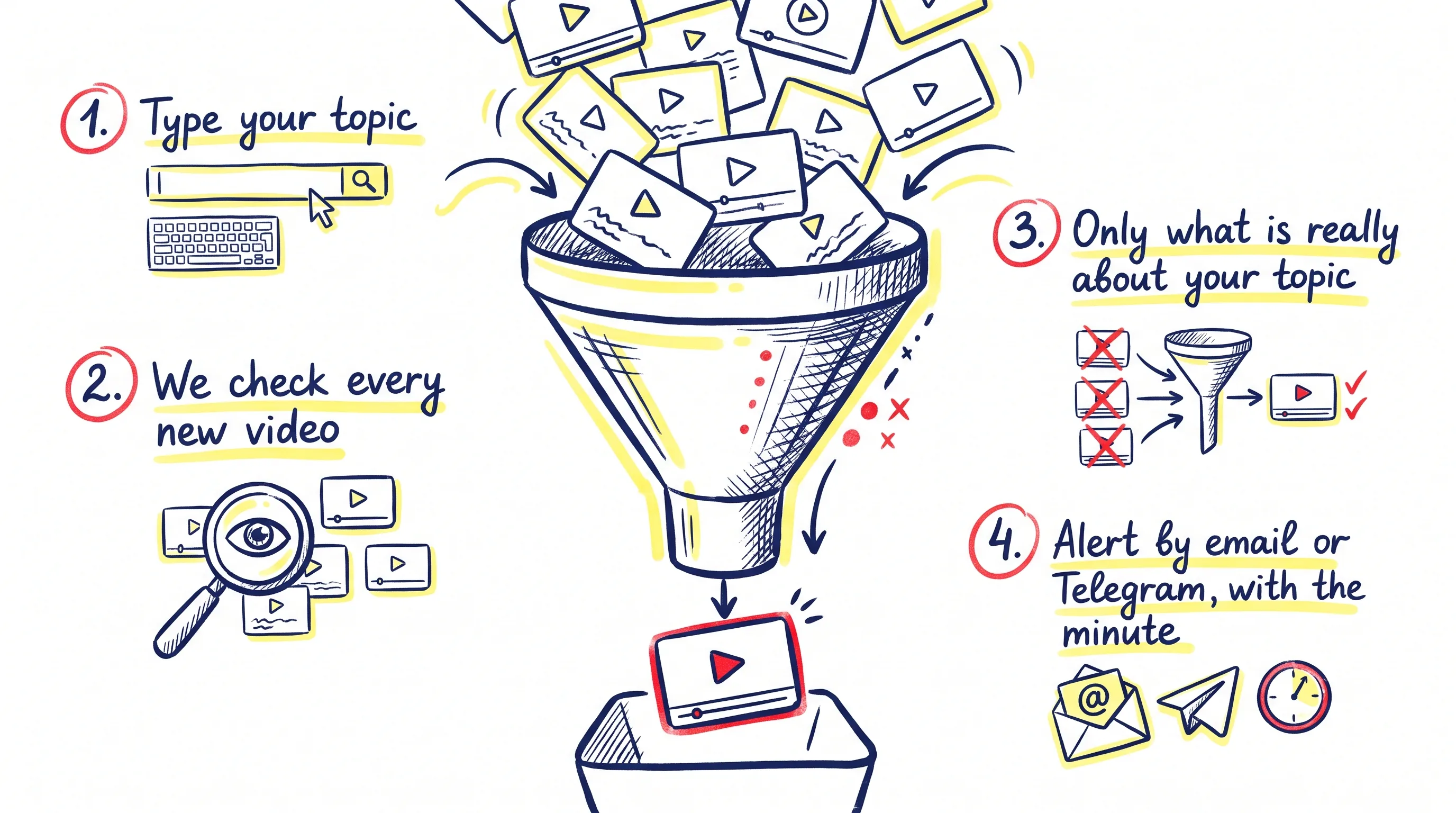
From your topic to the alert: every new video is checked and only what really covers it passes.
There are four kinds of watch and you can combine them:
Inside any video you can also search a word and mark every place it is said in one go. Searching is free; saving the marks is part of the paid plans.
The alerts in these examples are illustrative: they describe what you would see, they are not real results from a specific channel.
A word on a technical channel. You follow a programming channel from the public catalog and want to know when it mentions "subagents". You create an exact-word watch. When a video that says it comes out, the alert shows how many times it appears and at which minutes, without you watching the two hours.
A topic across several finance channels. You want to know when any of your channels explains how index funds work. The topic option compares the meaning of each new video and drops those that only name the term in passing.
A person interviewed everywhere. You add an author's name. The Radar tells you in which videos of your channels they are named and, with the trail on, on which channels you do not follow they appear. You decide what to open or import.
Only what you tell it, and everything is visible:
The Radar is on every plan and spends no credits. These are the figures the server applies:
| Explorer | Pro | Max | Team | |
|---|---|---|---|---|
| Watches at a time | 10 | 25 | 50 | 100 |
| Of them, people | 3 | 10 | 25 | 50 |
| Alerts a day | 20 | 50 | 100 | 200 |
| Alerted videos imported on their own, a day | 0 | 1 | 3 | 5 |
Importing a video to your library by hand can cost one credit; the ones the Radar imports on its own, within the daily allowance, do not. A person's trail videos are never imported on their own.
No. Checking your channels and alerting you is free on every plan. The only possible cost is one credit to import a video to your library by hand.
Every 2 hours. The trail of people on channels you do not follow runs less often depending on the plan: every 24 hours on Explorer, every 12 on Pro, every 8 on Max and every 6 on Team.
Yes. Alerts reach the bell on the web, email and Telegram. The phone notification needs the app.
Yes, and also from the web, the app and your AI assistant connected with TubExperto Link.
Turn any channel into your personal AI expert. Precise answers in seconds.
Start free with full Pro access
Chat with several experts from different channels in one conversation. Compare perspectives and contrast opinions with the sources cited.

Jump to the moment you're looking for without rewinding. Chapters with timestamps for the YouTube videos you import into TubExperto.

Step-by-step tutorial to create your first YouTube AI expert. From choosing the channel to asking your first question.